Buy projektstarter.eu ?
We are moving the project
projektstarter.eu .
Are you interested in purchasing the domain
projektstarter.eu ?
domain@kv-gmbh.de · 0541-91531010
Buy projektstarter.eu ?
Which Microsoft Surface Pro charges via USB-C?
The Microsoft Surface Pro 7 and Surface Pro X are the models that charge via USB-C. These newer models have replaced the proprietary charging port with a USB-C port, allowing for more flexibility and compatibility with a wider range of charging accessories. Users can now conveniently charge their Surface Pro devices using USB-C chargers, power banks, and other USB-C compatible devices. **
Should I choose the Microsoft Surface Pro X or the Surface Pro 7 for university?
When deciding between the Microsoft Surface Pro X and the Surface Pro 7 for university, it ultimately depends on your specific needs and preferences. The Surface Pro X offers a sleek design, longer battery life, and optional LTE connectivity, making it ideal for those who prioritize portability and connectivity. On the other hand, the Surface Pro 7 is a more powerful device with a wider range of processor options, making it better suited for tasks that require more processing power, such as graphic design or video editing. Consider your usage requirements, budget, and preferences to make the best decision for your university needs. **


Similar search terms for Microsoft-Surface-Pro-12-inch
Top-Angebote
Products related to Microsoft-Surface-Pro-12-inch:
-
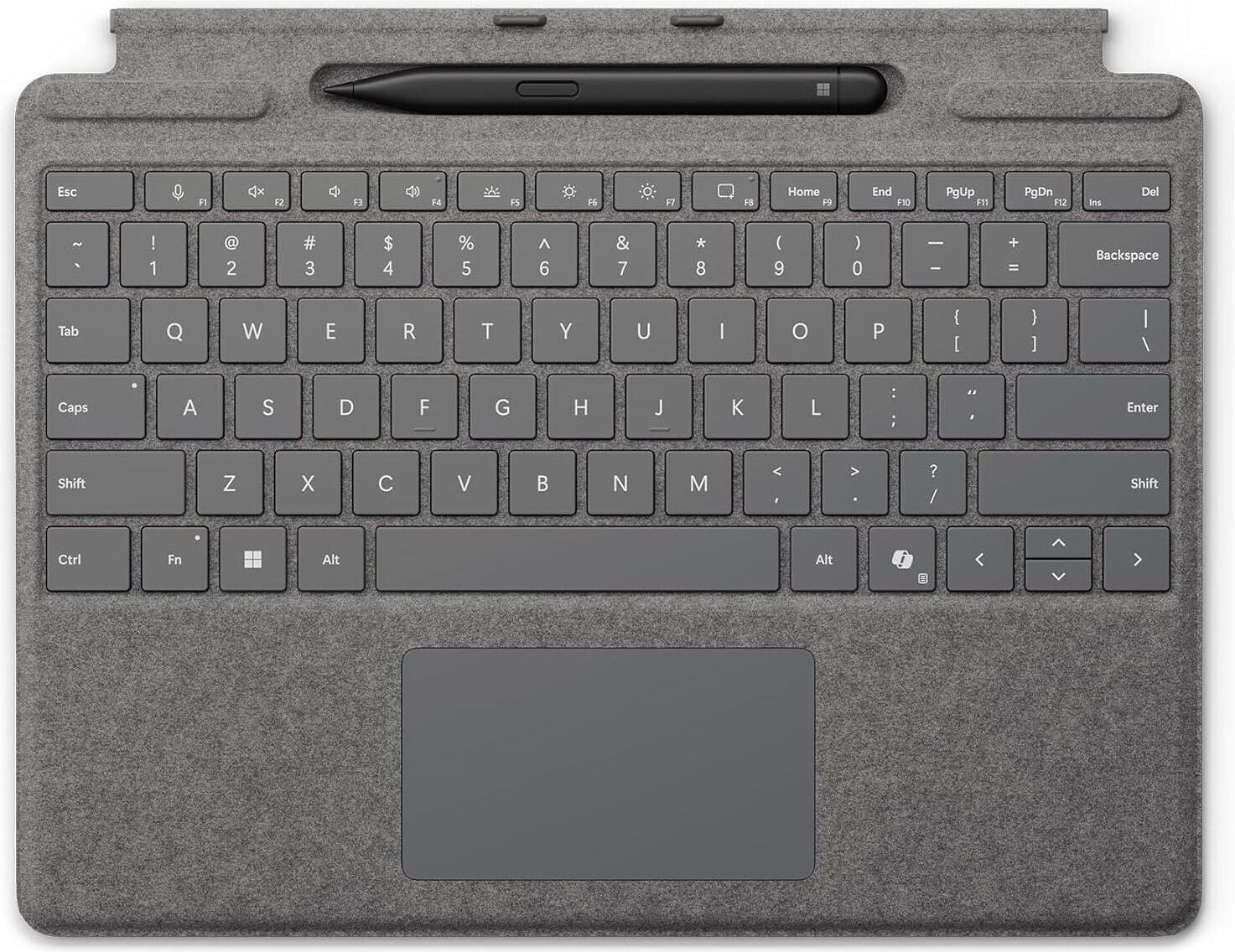
Microsoft Surface Pro Keyboard with Slim Pen - Platinum, Compatible with Surface Pro 11th Gen/9/8, NewTransform your Surface Pro into a full laptop experience with the elegant Microsoft Surface Pro Keyboard with Slim Pen in stunning Platinum. Designed for seamless compatibility with Surface Pro (11th Edition), Surface Pro 9, and Surface Pro 8, this premium keyboard offers a comfortable typing experience, while the included Slim Pen enhances creativity and productivity with precise writing and drawing capabilities. Compatibility: Works seamlessly with Surface Pro (11th Edition), Surface Pro 9, and Surface Pro 8 Slim Pen Included: Comes with a rechargeable Slim Pen for accurate writing, drawing, and editing Platinum Finish: Elegant and stylish Platinum colour that complements your Surface Pro Full-Size Keyboard: Comfortable, responsive keys with large trackpad for precision navigation Magnetic Attachment: Attaches instantly to your Surface Pro for a sleek and portable setup Backlit Keys: Work in any lighting condition with adjustable backlit keys Durable and Portable: Lightweight yet robust design, perfect for on-the-go professionals. EAN: 196388357536. Upgrade your Surface Pro experience with the Microsoft Surface Pro Keyboard and Slim Pen for smooth, efficient typing and enhanced creativity.276,00 £*Shipping: 0,00 £Secure redirect to the provider
-
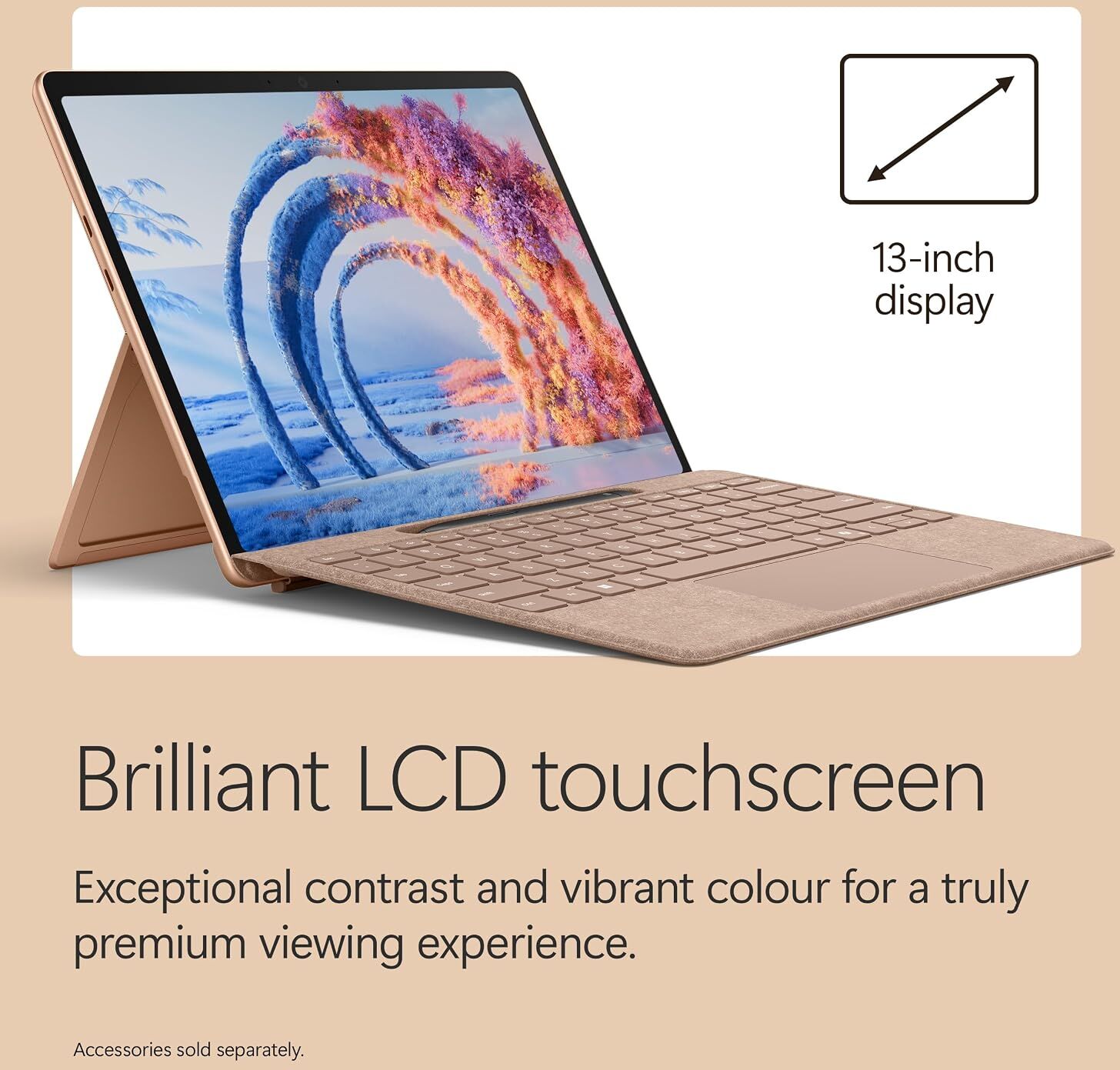
Microsoft Surface Pro 13" – Snapdragon X2 Elite, 16GB RAM, 512GB SSD.gadcet-pdp{--g-green:#00a651;color:#1f2430;line-height:1.55;font-size:inherit;max-width:760px}.gadcet-pdp>*:first-child{margin-top:0}.gadcet-pdp p{margin:0 0.9em}.gadcet-pdp h3{font-size:1.05em;font-weight:600;color:#11161f;margin:1.4em 0.5em;padding-left:.5em;border-left:3px solid var(--g-green);border-radius:0;line-height:1.3}.gadcet-pdp ul{list-style:none!important;margin:0 0.9em;padding:0!important}.gadcet-pdp ul li{position:relative;padding:.1em 0.1em 1.5em;margin:0}.gadcet-pdp ul li::before{content:"";position:absolute;left:.16em;top:.45em;width:.36em;height:.66em;border:solid var(--g-green);border-width:0.14em.14em 0;transform:rotate(45deg)}.gadcet-pdp table{width:100%;border-collapse:collapse;margin:.3em 0 1em;font-size:.95em;border:1px solid #e7e9ee!important;border-radius:8px;overflow:hidden}.gadcet-pdp table td{padding:.5em.8em;border-bottom:1px solid #eef0f4!important;vertical-align:top}.gadcet-pdp table tr:last-child td{border-bottom:0!important}.gadcet-pdp table tr:nth-child(even){background:#f7f9f8}.gadcet-pdp table td:first-child{font-weight:600;color:#454c59;width:40%}@media (max-width:600px){.gadcet-pdp table td:first-child{width:42%}} The Microsoft Surface Pro 13" combines the portability of a tablet with the productivity of a laptop, powered by the Snapdragon X2 Elite, 16GB RAM and a fast 512GB SSD. With a stunning OLED touchscreen and Copilot+ PC AI features, it's a premium 2-in-1 built for modern Windows working. Key Features 12-core Snapdragon X2 Elite processor designed for demanding productivity and efficient ARM-based performance 16GB LPDDR5x RAM for smooth multitasking across Microsoft 365, video calls and browser tabs 512GB removable Gen 4 SSD for fast responsiveness and improved serviceability 13-inch OLED touchscreen with richer contrast and deeper blacks Qualcomm Hexagon NPU delivering up to 80 TOPS for on-device Copilot+ PC AI experiences Wi-Fi 7 support for faster, lower-latency wireless networking on compatible networks 1440p ultrawide front camera for sharper video calls, plus a 10MP rear camera for scanning and capturing documents Integrated kickstand for seamless tablet-to-laptop transitions with a compatible Surface keyboard Dual USB-C / USB4 ports for high-speed accessories, external displays and charging Touch and pen-friendly display, ideal for note-taking, annotation and sketching with a compatible Surface Slim Pen Benefits At approximately 895g, it's far lighter than most traditional 13-inch laptops – perfect for commuting and travel One device for tablet mobility and laptop-style productivity Dedicated AI hardware keeps supported Copilot+ experiences running on-device Fast storage and ample memory keep your workflow uninterrupted Look and sound professional on Teams, Zoom and other video calls Specifications Display 13-inch OLED touchscreen Processor Snapdragon X2 Elite (12-core) Memory 16GB LPDDR5x Storage 512GB removable Gen 4 SSD NPU Qualcomm Hexagon, up to 80 TOPS Wireless Wi-Fi 7 Ports Dual USB-C ...1399,00 £*Shipping: 0,00 £Secure redirect to the provider
-
Microsoft Surface Pro 13" – Snapdragon X2 Plus, 16GB RAM, 512GB SSD.gadcet-pdp{--g-green:#00a651;color:#1f2430;line-height:1.55;font-size:inherit;max-width:760px}.gadcet-pdp>*:first-child{margin-top:0}.gadcet-pdp p{margin:0 0.9em}.gadcet-pdp h3{font-size:1.05em;font-weight:600;color:#11161f;margin:1.4em 0.5em;padding-left:.5em;border-left:3px solid var(--g-green);border-radius:0;line-height:1.3}.gadcet-pdp ul{list-style:none!important;margin:0 0.9em;padding:0!important}.gadcet-pdp ul li{position:relative;padding:.1em 0.1em 1.5em;margin:0}.gadcet-pdp ul li::before{content:"";position:absolute;left:.16em;top:.45em;width:.36em;height:.66em;border:solid var(--g-green);border-width:0.14em.14em 0;transform:rotate(45deg)}.gadcet-pdp table{width:100%;border-collapse:collapse;margin:.3em 0 1em;font-size:.95em;border:1px solid #e7e9ee!important;border-radius:8px;overflow:hidden}.gadcet-pdp table td{padding:.5em.8em;border-bottom:1px solid #eef0f4!important;vertical-align:top}.gadcet-pdp table tr:last-child td{border-bottom:0!important}.gadcet-pdp table tr:nth-child(even){background:#f7f9f8}.gadcet-pdp table td:first-child{font-weight:600;color:#454c59;width:40%}@media (max-width:600px){.gadcet-pdp table td:first-child{width:42%}} Work, create and stay productive anywhere with the Microsoft Surface Pro 13" – a premium 2-in-1 Windows 11 PC powered by the Snapdragon X2 Plus, 16GB RAM and a fast 512GB SSD, combining tablet portability with laptop-level capability. Key Features 10-core Snapdragon X2 Plus processor for responsive everyday performance 16GB LPDDR5x RAM for smooth multitasking across apps, tabs and calls 512GB removable Gen 4 SSD for fast loads and ample storage 13-inch LCD touchscreen with built-in kickstand for tablet or laptop-style use Qualcomm Hexagon NPU delivering up to 80 TOPS of on-device AI processing Wi-Fi 7 support for faster, lower-latency wireless connectivity 1440p ultrawide front camera and 10MP rear camera Lightweight design at approximately 895g USB-C connectivity for storage, displays, hubs and charging Compatible with Surface Slim Pen and a range of Surface keyboards Benefits One device that moves easily between desk work, meetings, travel and study Plenty of headroom for Microsoft 365, browser work and video calls Easier to carry than many conventional 13-inch laptops Flexible setups – use it as a standalone tablet or pair a compatible Surface keyboard for laptop-style typing Handwritten notes, sketching and document annotation with a compatible Slim Pen Specifications Display 13-inch LCD touchscreen Processor 10-core Snapdragon X2 Plus Memory 16GB LPDDR5x RAM Storage 512GB removable Gen 4 SSD AI Performance Up to 80 TOPS (Qualcomm Hexagon NPU) Connectivity Wi-Fi 7, USB-C Cameras 1440p ultrawide front-facing, 10MP rear Weight Approximately 895g Operating System Windows 11 What You'll Receive Microsoft Surface Pro 13" – Snapdragon X2 Plus, 16GB RAM, 512GB SSD (new condition) Ideal For Perfect for professionals, students and hybrid workers who want serious Windows productivity in a lightweight...1099,00 £*Shipping: 0,00 £Secure redirect to the provider
-
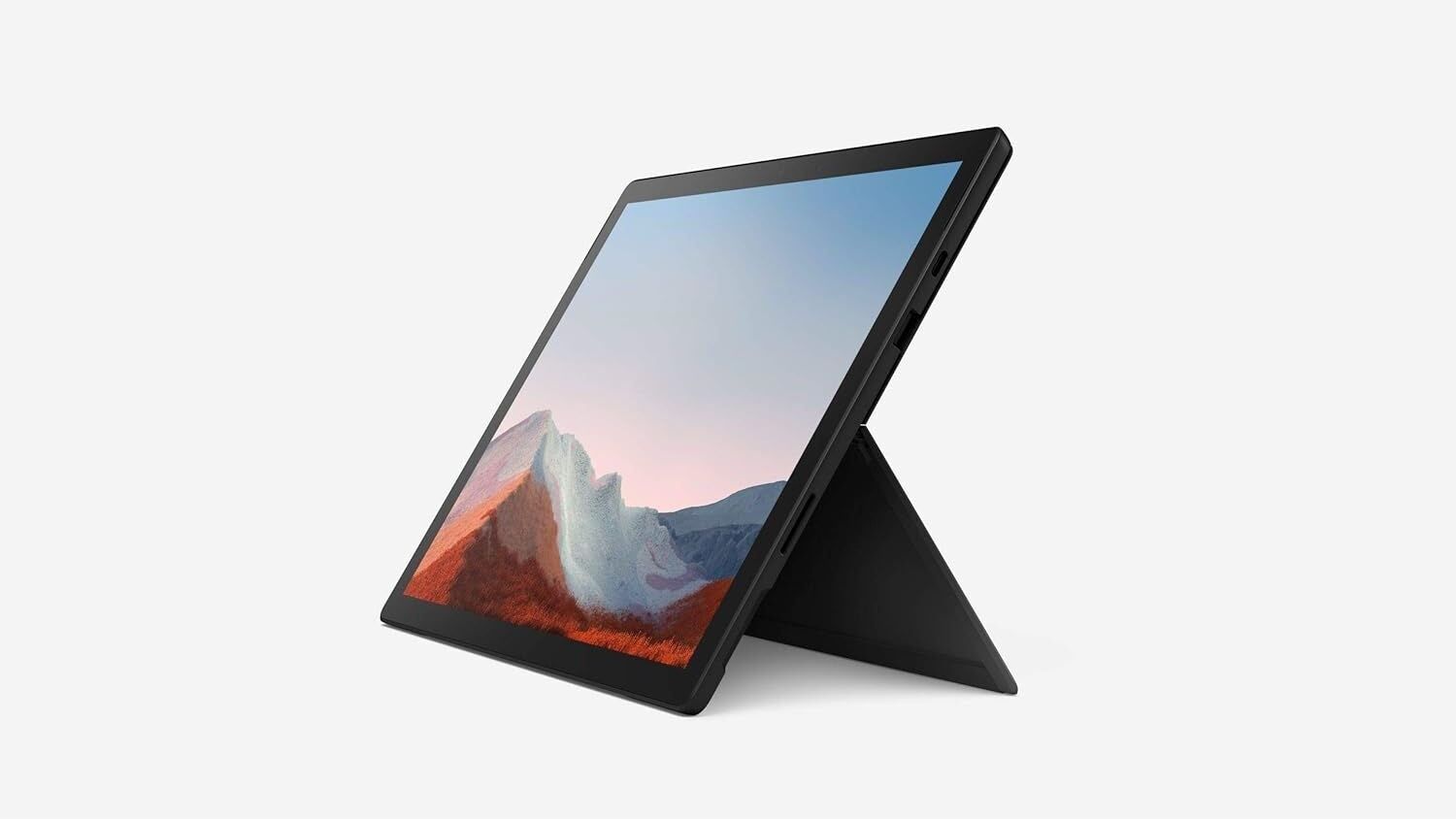
Microsoft Surface Pro 7 Plus 256gb (i7) 16gb - Black, Used - FairThe Microsoft Surface Pro 7+ in Black, configured with an Intel Core i7 processor, 16GB of RAM, and a 256GB SSD, is a versatile 2-in-1 device designed to cater to both professional and personal computing needs. Key Features: Display: 12.3-inch PixelSense™ touchscreen with a resolution of 2736 x 1824 pixels, offering sharp and vibrant visuals. Processor: Equipped with the 11th Gen Intel® Core™ i7-1165G7 processor, providing robust performance for multitasking and demanding applications. Memory and Storage: 16GB of LPDDR4x RAM ensures smooth operation, while the 256GB removable SSD offers quick data access and the flexibility to upgrade storage as needed. Graphics: Integrated Intel® Iris® Xe Graphics deliver enhanced visual performance, suitable for creative tasks and media consumption. Connectivity: Features Wi-Fi 6 and Bluetooth 5.0 for reliable wireless connections. Ports include USB-C®, USB-A, a 3.5mm headphone jack, Surface Connect port, and a microSDXC card reader for expandable storage. Battery Life: Offers up to 15 hours of typical device usage, supporting extended productivity on the go. Operating System: Ships with Windows 10 Pro, providing advanced security features and business functionalities. Design and Build: The Surface Pro 7+ maintains a sleek and portable design, measuring 11.5” x 7.9” x 0.33” and weighing approximately 1.74 lbs (790g). Its magnesium alloy body and integrated kickstand allow for versatile use in various environments.449,99 £*Shipping: 0,00 £Secure redirect to the provider
-
How can one program on the Microsoft Surface Pro?
To program on the Microsoft Surface Pro, you can use a variety of programming tools and software such as Visual Studio, Visual Studio Code, or any other IDE that supports the programming language you want to use. You can also install programming languages like Python, Java, C++, or others directly on the Surface Pro. Additionally, you can utilize online code editors or cloud-based development environments to write and run code on your Surface Pro. **
-
Is the Microsoft Surface Pro 8 suitable for school?
Yes, the Microsoft Surface Pro 8 is suitable for school. It is a versatile device that can be used for note-taking, research, and completing assignments. Its portability and long battery life make it convenient for students to use in and out of the classroom. Additionally, its powerful performance and compatibility with various educational software and apps make it a great tool for learning and productivity. **
-
How can I charge a Microsoft Surface Pro 4?
You can charge a Microsoft Surface Pro 4 using the included power adapter and charging cable. Simply plug the power adapter into a power outlet and connect the charging cable to the Surface Pro 4's charging port. The other end of the charging cable should be connected to the power adapter. Once connected, the Surface Pro 4 will start charging. You can also use a compatible USB-C charger to charge the Surface Pro 4 if you have one available. **
-
Should I choose the Microsoft Surface Pro 7 or the iPad Pro?
The decision between the Microsoft Surface Pro 7 and the iPad Pro ultimately depends on your specific needs and preferences. If you prioritize a full desktop experience with the ability to run Windows applications, the Surface Pro 7 may be the better choice. On the other hand, if you value a sleek and intuitive user interface with a wide range of creative and productivity apps, the iPad Pro could be the right fit. Consider factors such as operating system preference, software compatibility, and intended use cases to make the best decision for your needs. **


Which is better: the MacBook Pro, the iPad Pro, or the Microsoft Surface Pro 7?
The answer to this question depends on the specific needs and preferences of the user. The MacBook Pro is a powerful laptop with a wide range of professional software options, making it a great choice for creative professionals and those who need a traditional laptop experience. The iPad Pro is a versatile device with a touchscreen and support for the Apple Pencil, making it ideal for artists, designers, and those who prefer a more portable and tactile experience. The Microsoft Surface Pro 7 is a 2-in-1 device that offers the flexibility of both a laptop and a tablet, making it a good choice for those who need a balance of portability and productivity. Ultimately, the best choice will depend on the specific needs and preferences of the user. **
Should one choose the Microsoft Surface Pro or the iPad Pro for school?
The choice between the Microsoft Surface Pro and the iPad Pro for school ultimately depends on individual preferences and needs. The Microsoft Surface Pro offers a more traditional laptop-like experience with a full desktop operating system, making it suitable for tasks that require more computing power such as programming or graphic design. On the other hand, the iPad Pro is more portable, has a longer battery life, and offers a wide range of educational apps, making it ideal for note-taking, reading, and multimedia consumption. Consider your specific requirements, such as software compatibility, typing preferences, and budget, before making a decision. **
Top-Angebote
Products related to Microsoft-Surface-Pro-12-inch:
-
Microsoft Surface Pro 12-inch Keyboard Compatible with Surface Pro Copilot + OceanOverview Elevate your Surface Pro experience from a portable tablet to a high-performance workstation with the Microsoft Surface Pro Keyboard in stunning Ocean blue. This keyboard isn’t just a peripheral; it is the vital link that unlocks the full potential of your Copilot+ PC workflow. Meticulously designed for tactile precision and aesthetic elegance, it provides a seamless transition between creative sketching and intensive data processing, ensuring your professional output remains fluid and uncompromised. Key Features & Benefits Dedicated AI Integration with the Copilot Key: Access your personal AI assistant with a single keystroke. This feature allows you to instantly summarise long documents, generate creative imagery, or organise your schedule, dramatically reducing your manual workload and boosting daily productivity. Mechanical Keys with Enhanced Tactile Feedback: Enjoy the satisfying click and speed of a traditional laptop keyboard in an ultra-slim profile. This optimised key spacing allows for faster, more accurate typing, making long-form report writing or extensive coding sessions effortless and fatigue-free. Luxurious and Sustainable Ocean Alcantara™ Fabric: Experience premium comfort with every keystroke. The soft yet durable Alcantara™ material is crafted with at least 12% recycled content, providing a sophisticated feel for your wrists while resisting stains and daily wear. Integrated Large Glass Trackpad: Navigate your most complex projects with unmatched fluid precision. The oversized, high-fidelity glass trackpad offers superior gesture support, allowing you to edit fine details in design suites or toggle between applications with professional-grade responsiveness. Secure Magnetic Snap-to-Fit Stability: Transform your workspace instantly. The powerful magnetic hinge allows you to angle the keyboard for an ergonomic "laptop" feel or lay it flat for a sturdy "studio" experience, ensuring the device adapts to your environment, not the other way around. Subtle LED Backlighting: Maintain peak performance in any lighting condition. Whether you are working in a dimly lit boardroom or an evening flight, the adjustable backlit keys ensure you never lose your place or compromise your accuracy. Why Choose This Product The Microsoft Surface Pro Keyboard in Ocean (EAN: 0889842610582) is the definitive choice for the modern professional who values both form and function. Beyond its technical specifications, this keyboard offers the emotional satisfaction of a perfectly integrated ecosystem. Its slim, lightweight design ensures that your "office" is wherever you are, while the sophisticated blue hue sets you apart from the corporate norm. By choosing this authentic accessory, you are investing in a tool that respects your time and your aesthetic, ensuring your Copilot+ hardware operates with the efficiency and prestige it was built for. Specifications Table Feature Technical Detail Model Surface Pro Keyboard (Copilot+ Optimised)...148,00 £*Shipping: 0,00 £Secure redirect to the provider
-
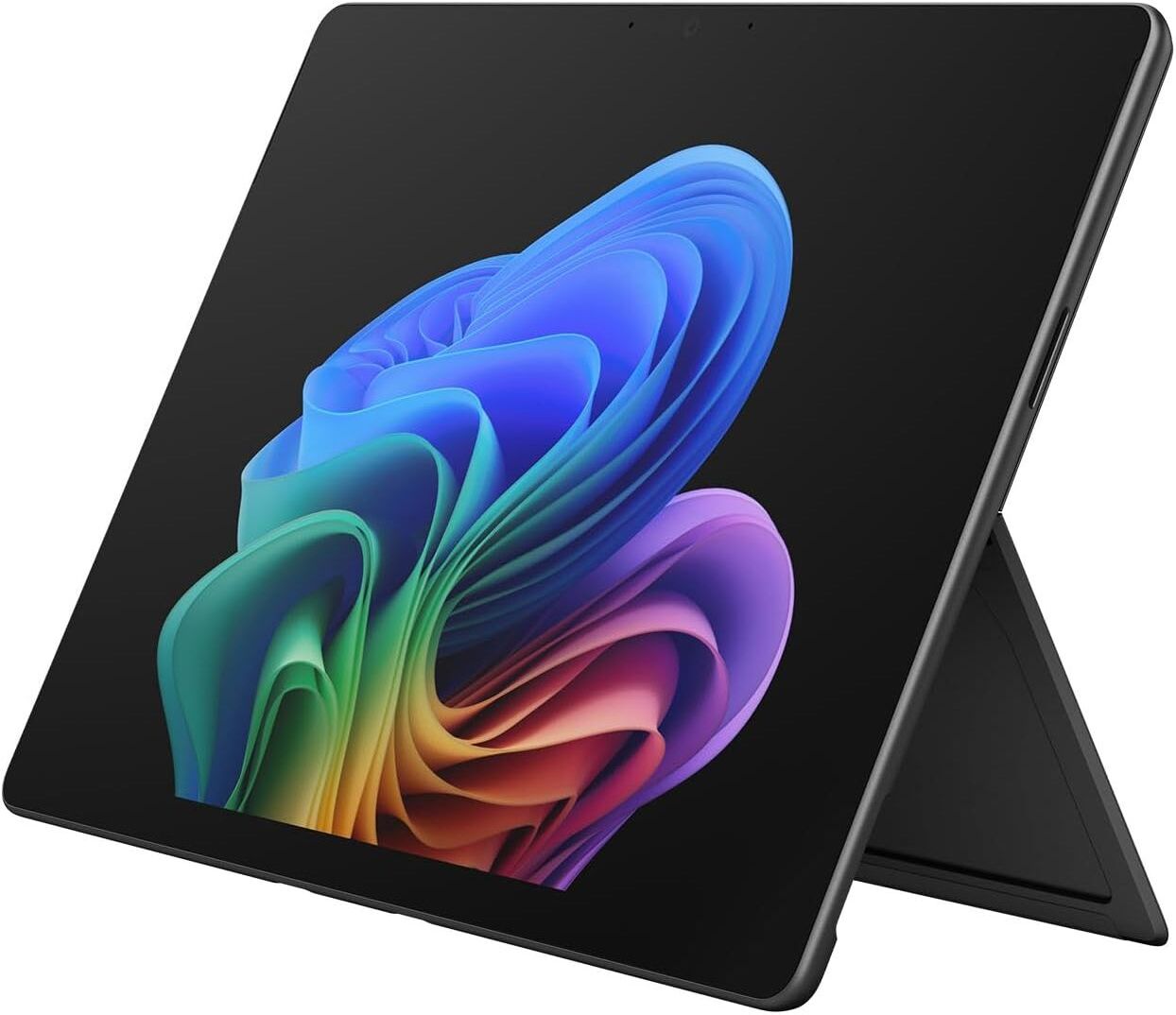
Microsoft Surface Pro 13-inch Copilot+ PC Snapdragon X2 Plus 256GB 16GB Without Keyboard - PlatinumThe Microsoft Surface Pro 13-inch Copilot+ PC combines the portability of a tablet with the performance and productivity features of a Windows computer. Powered by the Snapdragon X2 Plus processor and equipped with 16GB RAM, it is designed to handle everyday computing, multitasking, document editing, web browsing and entertainment. Its 13-inch PixelSense Flow touchscreen delivers detailed visuals with a 2.8K resolution of 2880 x 1920 pixels. The 3:2 aspect ratio provides a practical workspace for reading, writing and working with documents, while touch support and stylus compatibility offer additional flexibility for navigation, note-taking and creative tasks. With a 256GB SSD, the Surface Pro provides storage for applications, files, photos and other digital content. Windows 11 and Copilot+ PC capabilities support a range of productivity and AI-assisted experiences, with feature availability depending on software updates, region and system requirements. Designed in Platinum, this lightweight and versatile device features Wi-Fi 7, Bluetooth 5.4, USB4 connectivity and an integrated kickstand for convenient positioning. The detachable keyboard is not included, allowing you to use the device as a standalone touchscreen tablet or purchase a compatible keyboard separately.1100,49 £*Shipping: 0,00 £Secure redirect to the provider
-
Microsoft Surface Pro Keyboard with Slim Pen - Platinum, Compatible with Surface Pro 11th Gen/9/8, NewTransform your Surface Pro into a full laptop experience with the elegant Microsoft Surface Pro Keyboard with Slim Pen in stunning Platinum. Designed for seamless compatibility with Surface Pro (11th Edition), Surface Pro 9, and Surface Pro 8, this premium keyboard offers a comfortable typing experience, while the included Slim Pen enhances creativity and productivity with precise writing and drawing capabilities. Compatibility: Works seamlessly with Surface Pro (11th Edition), Surface Pro 9, and Surface Pro 8 Slim Pen Included: Comes with a rechargeable Slim Pen for accurate writing, drawing, and editing Platinum Finish: Elegant and stylish Platinum colour that complements your Surface Pro Full-Size Keyboard: Comfortable, responsive keys with large trackpad for precision navigation Magnetic Attachment: Attaches instantly to your Surface Pro for a sleek and portable setup Backlit Keys: Work in any lighting condition with adjustable backlit keys Durable and Portable: Lightweight yet robust design, perfect for on-the-go professionals. EAN: 196388357536. Upgrade your Surface Pro experience with the Microsoft Surface Pro Keyboard and Slim Pen for smooth, efficient typing and enhanced creativity.276,00 £*Shipping: 0,00 £Secure redirect to the provider
-
Microsoft Surface Pro 13" – Snapdragon X2 Elite, 16GB RAM, 512GB SSD.gadcet-pdp{--g-green:#00a651;color:#1f2430;line-height:1.55;font-size:inherit;max-width:760px}.gadcet-pdp>*:first-child{margin-top:0}.gadcet-pdp p{margin:0 0.9em}.gadcet-pdp h3{font-size:1.05em;font-weight:600;color:#11161f;margin:1.4em 0.5em;padding-left:.5em;border-left:3px solid var(--g-green);border-radius:0;line-height:1.3}.gadcet-pdp ul{list-style:none!important;margin:0 0.9em;padding:0!important}.gadcet-pdp ul li{position:relative;padding:.1em 0.1em 1.5em;margin:0}.gadcet-pdp ul li::before{content:"";position:absolute;left:.16em;top:.45em;width:.36em;height:.66em;border:solid var(--g-green);border-width:0.14em.14em 0;transform:rotate(45deg)}.gadcet-pdp table{width:100%;border-collapse:collapse;margin:.3em 0 1em;font-size:.95em;border:1px solid #e7e9ee!important;border-radius:8px;overflow:hidden}.gadcet-pdp table td{padding:.5em.8em;border-bottom:1px solid #eef0f4!important;vertical-align:top}.gadcet-pdp table tr:last-child td{border-bottom:0!important}.gadcet-pdp table tr:nth-child(even){background:#f7f9f8}.gadcet-pdp table td:first-child{font-weight:600;color:#454c59;width:40%}@media (max-width:600px){.gadcet-pdp table td:first-child{width:42%}} The Microsoft Surface Pro 13" combines the portability of a tablet with the productivity of a laptop, powered by the Snapdragon X2 Elite, 16GB RAM and a fast 512GB SSD. With a stunning OLED touchscreen and Copilot+ PC AI features, it's a premium 2-in-1 built for modern Windows working. Key Features 12-core Snapdragon X2 Elite processor designed for demanding productivity and efficient ARM-based performance 16GB LPDDR5x RAM for smooth multitasking across Microsoft 365, video calls and browser tabs 512GB removable Gen 4 SSD for fast responsiveness and improved serviceability 13-inch OLED touchscreen with richer contrast and deeper blacks Qualcomm Hexagon NPU delivering up to 80 TOPS for on-device Copilot+ PC AI experiences Wi-Fi 7 support for faster, lower-latency wireless networking on compatible networks 1440p ultrawide front camera for sharper video calls, plus a 10MP rear camera for scanning and capturing documents Integrated kickstand for seamless tablet-to-laptop transitions with a compatible Surface keyboard Dual USB-C / USB4 ports for high-speed accessories, external displays and charging Touch and pen-friendly display, ideal for note-taking, annotation and sketching with a compatible Surface Slim Pen Benefits At approximately 895g, it's far lighter than most traditional 13-inch laptops – perfect for commuting and travel One device for tablet mobility and laptop-style productivity Dedicated AI hardware keeps supported Copilot+ experiences running on-device Fast storage and ample memory keep your workflow uninterrupted Look and sound professional on Teams, Zoom and other video calls Specifications Display 13-inch OLED touchscreen Processor Snapdragon X2 Elite (12-core) Memory 16GB LPDDR5x Storage 512GB removable Gen 4 SSD NPU Qualcomm Hexagon, up to 80 TOPS Wireless Wi-Fi 7 Ports Dual USB-C ...1399,00 £*Shipping: 0,00 £Secure redirect to the provider
-
Which Microsoft Surface Pro charges via USB-C?
The Microsoft Surface Pro 7 and Surface Pro X are the models that charge via USB-C. These newer models have replaced the proprietary charging port with a USB-C port, allowing for more flexibility and compatibility with a wider range of charging accessories. Users can now conveniently charge their Surface Pro devices using USB-C chargers, power banks, and other USB-C compatible devices. **
-
Should I choose the Microsoft Surface Pro X or the Surface Pro 7 for university?
When deciding between the Microsoft Surface Pro X and the Surface Pro 7 for university, it ultimately depends on your specific needs and preferences. The Surface Pro X offers a sleek design, longer battery life, and optional LTE connectivity, making it ideal for those who prioritize portability and connectivity. On the other hand, the Surface Pro 7 is a more powerful device with a wider range of processor options, making it better suited for tasks that require more processing power, such as graphic design or video editing. Consider your usage requirements, budget, and preferences to make the best decision for your university needs. **
-
How can one program on the Microsoft Surface Pro?
To program on the Microsoft Surface Pro, you can use a variety of programming tools and software such as Visual Studio, Visual Studio Code, or any other IDE that supports the programming language you want to use. You can also install programming languages like Python, Java, C++, or others directly on the Surface Pro. Additionally, you can utilize online code editors or cloud-based development environments to write and run code on your Surface Pro. **
-
Is the Microsoft Surface Pro 8 suitable for school?
Yes, the Microsoft Surface Pro 8 is suitable for school. It is a versatile device that can be used for note-taking, research, and completing assignments. Its portability and long battery life make it convenient for students to use in and out of the classroom. Additionally, its powerful performance and compatibility with various educational software and apps make it a great tool for learning and productivity. **
Similar search terms for Microsoft-Surface-Pro-12-inch
-
Microsoft Surface Pro 13" – Snapdragon X2 Plus, 16GB RAM, 512GB SSD.gadcet-pdp{--g-green:#00a651;color:#1f2430;line-height:1.55;font-size:inherit;max-width:760px}.gadcet-pdp>*:first-child{margin-top:0}.gadcet-pdp p{margin:0 0.9em}.gadcet-pdp h3{font-size:1.05em;font-weight:600;color:#11161f;margin:1.4em 0.5em;padding-left:.5em;border-left:3px solid var(--g-green);border-radius:0;line-height:1.3}.gadcet-pdp ul{list-style:none!important;margin:0 0.9em;padding:0!important}.gadcet-pdp ul li{position:relative;padding:.1em 0.1em 1.5em;margin:0}.gadcet-pdp ul li::before{content:"";position:absolute;left:.16em;top:.45em;width:.36em;height:.66em;border:solid var(--g-green);border-width:0.14em.14em 0;transform:rotate(45deg)}.gadcet-pdp table{width:100%;border-collapse:collapse;margin:.3em 0 1em;font-size:.95em;border:1px solid #e7e9ee!important;border-radius:8px;overflow:hidden}.gadcet-pdp table td{padding:.5em.8em;border-bottom:1px solid #eef0f4!important;vertical-align:top}.gadcet-pdp table tr:last-child td{border-bottom:0!important}.gadcet-pdp table tr:nth-child(even){background:#f7f9f8}.gadcet-pdp table td:first-child{font-weight:600;color:#454c59;width:40%}@media (max-width:600px){.gadcet-pdp table td:first-child{width:42%}} Work, create and stay productive anywhere with the Microsoft Surface Pro 13" – a premium 2-in-1 Windows 11 PC powered by the Snapdragon X2 Plus, 16GB RAM and a fast 512GB SSD, combining tablet portability with laptop-level capability. Key Features 10-core Snapdragon X2 Plus processor for responsive everyday performance 16GB LPDDR5x RAM for smooth multitasking across apps, tabs and calls 512GB removable Gen 4 SSD for fast loads and ample storage 13-inch LCD touchscreen with built-in kickstand for tablet or laptop-style use Qualcomm Hexagon NPU delivering up to 80 TOPS of on-device AI processing Wi-Fi 7 support for faster, lower-latency wireless connectivity 1440p ultrawide front camera and 10MP rear camera Lightweight design at approximately 895g USB-C connectivity for storage, displays, hubs and charging Compatible with Surface Slim Pen and a range of Surface keyboards Benefits One device that moves easily between desk work, meetings, travel and study Plenty of headroom for Microsoft 365, browser work and video calls Easier to carry than many conventional 13-inch laptops Flexible setups – use it as a standalone tablet or pair a compatible Surface keyboard for laptop-style typing Handwritten notes, sketching and document annotation with a compatible Slim Pen Specifications Display 13-inch LCD touchscreen Processor 10-core Snapdragon X2 Plus Memory 16GB LPDDR5x RAM Storage 512GB removable Gen 4 SSD AI Performance Up to 80 TOPS (Qualcomm Hexagon NPU) Connectivity Wi-Fi 7, USB-C Cameras 1440p ultrawide front-facing, 10MP rear Weight Approximately 895g Operating System Windows 11 What You'll Receive Microsoft Surface Pro 13" – Snapdragon X2 Plus, 16GB RAM, 512GB SSD (new condition) Ideal For Perfect for professionals, students and hybrid workers who want serious Windows productivity in a lightweight...1099,00 £*Shipping: 0,00 £Secure redirect to the provider
-
Microsoft Surface Pro 7 Plus 256gb (i7) 16gb - Black, Used - FairThe Microsoft Surface Pro 7+ in Black, configured with an Intel Core i7 processor, 16GB of RAM, and a 256GB SSD, is a versatile 2-in-1 device designed to cater to both professional and personal computing needs. Key Features: Display: 12.3-inch PixelSense™ touchscreen with a resolution of 2736 x 1824 pixels, offering sharp and vibrant visuals. Processor: Equipped with the 11th Gen Intel® Core™ i7-1165G7 processor, providing robust performance for multitasking and demanding applications. Memory and Storage: 16GB of LPDDR4x RAM ensures smooth operation, while the 256GB removable SSD offers quick data access and the flexibility to upgrade storage as needed. Graphics: Integrated Intel® Iris® Xe Graphics deliver enhanced visual performance, suitable for creative tasks and media consumption. Connectivity: Features Wi-Fi 6 and Bluetooth 5.0 for reliable wireless connections. Ports include USB-C®, USB-A, a 3.5mm headphone jack, Surface Connect port, and a microSDXC card reader for expandable storage. Battery Life: Offers up to 15 hours of typical device usage, supporting extended productivity on the go. Operating System: Ships with Windows 10 Pro, providing advanced security features and business functionalities. Design and Build: The Surface Pro 7+ maintains a sleek and portable design, measuring 11.5” x 7.9” x 0.33” and weighing approximately 1.74 lbs (790g). Its magnesium alloy body and integrated kickstand allow for versatile use in various environments.449,99 £*Shipping: 0,00 £Secure redirect to the provider
-
Microsoft Surface Pro 8 i5-1145G7 13" 8 GB 256 GB SSD compatible stylus Surface Dock Win 11 Pro Platin - RefurbishedElevate Your Productivity with the Excitingly Trustworthy Refurbed, Completely Renewed Microsoft Surface Pro 8 Prepare to embark on an electrifying journey of limitless possibilities with the excitingly trustworthy Refurbed, completely renewed Microsoft Surface Pro 8, your ultimate productivity companion! Unlock a world of unparalleled performance and versatility in the palm of your hand. This sleek 2-in-1 device redefines the boundaries between tablet flexibility and laptop power, making it the absolute choice for professionals, students, and anyone who demands nothing but excellence in their tech experience. Key Features: Unleash Your Creativity: The refurbed Microsoft Surface Pro 8 boasts a breathtaking 13" PixelSense touchscreen display that breathes life into your content with vivid colors and razor-sharp details. Whether you're a visionary artist, a bold designer, or just a creative enthusiast, this 2K+ resolution display will elevate your visual experience to uncharted heights. Impressive Power, Ultimate Portability: Equipped with the latest Intel Core processors, the refurbished Surface Pro 8 delivers lightning-fast performance. It's astoundingly lightweight and slim, allowing you to take it with you wherever your journey leads. It's the perfect fusion of raw power and seamless convenience. Versatility at its Best: Seamlessly transition between laptop, studio, and tablet modes with the 2-in-1 design. Use it as a conventional laptop with the Surface Type Cover (when available), prop it up in studio mode for an awe-inspiring sketching experience, or detach the keyboard (when available) for a tablet adventure – the choice is yours! Crystal Clear Sound: Immerse yourself in exceptional audio quality with dual front-facing speakers. Whether you're in a critical video conference, indulging in a movie marathon, or vibing to your favorite tunes, the completely renewed Surface Pro 8 delivers sound that will resonate through your very being. Specifications: Processor: Your choice of powerful Intel Core processor. Display: A mesmerizing 13" PixelSense touchscreen with 2K+ resolution. RAM: Up to a staggering 32 GB of LPDDR4X RAM for seamless multitasking. Storage: An array of storage options ranging from 128 GB for lightning-fast data access. Ports: Featuring USB-C, USB-A, and Surface Connect ports for seamless connectivity. Why Choose the Refurbed, Completely Renewed Microsoft Surface Pro 8? Affordability without Sacrifice: We recognize the significance of budget-conscious choices. Our refurbed, completely renewed Surface Pro 8 grants you access to a premium device at a fraction of the cost. Each unit undergoes a rigorous inspection, testing, and refurbishment process, rendering it as good as new. Bid farewell to compromises! Eco-Friendly Choice: By selecting a refurbed, completely renewed Surface Pro 8, you're making an environmentally conscious choice in comparison to buying new. You're granting a second life to a high-quality device, contributing...420,00 £*Shipping: 0,00 £Secure redirect to the provider
-
Microsoft Surface Pro 7 Plus 12.3" i7, 16GB RAM, 256GB SSD, Windows 10 Pro, Used - GoodExperience powerful performance, professional productivity and exceptional portability with the Microsoft Surface Pro 7+ 12.3-inch 2-in-1 Laptop Tablet. Featuring an 11th Generation Intel Core i7 processor, 16GB RAM, 256GB removable SSD and Windows 10 Pro, this premium Microsoft Surface device combines the convenience of a touchscreen tablet with the functionality of a Windows laptop. Designed for business professionals, students and everyday users, the Surface Pro 7+ features a stunning 12.3-inch PixelSense touchscreen display, Intel Iris Xe graphics, Wi-Fi 6 connectivity, Windows Hello facial recognition and a versatile built-in kickstand. Whether you're working remotely, attending meetings, managing documents or enjoying entertainment, the Surface Pro 7+ delivers an excellent balance of performance, flexibility and portability. Key Features ✔️ Microsoft Surface Pro 7+ – Premium 2-in-1 Windows tablet designed for business productivity, education and everyday computing. ✔️ 11th Generation Intel Core i7 Processor – Powerful Intel Core i7-1165G7 processor delivers responsive performance for professional applications and multitasking. ✔️ Up to 4.7GHz Turbo Boost – Advanced processing performance for demanding everyday computing tasks. ✔️ Quad-Core Processing – Four processor cores and eight threads provide efficient multitasking and smooth application performance. ✔️ 16GB LPDDR4x RAM – Generous memory supports multiple browser tabs, business applications and productivity software. ✔️ 256GB Solid State Drive – Fast SSD storage provides quick system startup, responsive application loading and convenient file storage. ✔️ Removable SSD Design – Designed with a removable SSD for compatible servicing and enterprise data management. ✔️ 12.3-Inch PixelSense Display – Premium high-resolution touchscreen delivers sharp text, detailed images and vibrant colours. ✔️ 2736 × 1824 Resolution – High-resolution display with 267 pixels per inch for exceptional clarity. ✔️ 10-Point Multi-Touch Technology – Responsive touchscreen supports intuitive navigation, gestures and compatible touch applications. ✔️ 3:2 Display Aspect Ratio – Provides additional vertical screen space for documents, spreadsheets and web browsing. ✔️ Intel Iris Xe Graphics – Integrated graphics deliver smooth everyday multimedia performance and support compatible creative applications. ✔️ Windows 10 Pro Operating System – Professional Windows edition featuring business-focused productivity and security capabilities. ✔️ 2-in-1 Laptop & Tablet Functionality – Enjoy tablet convenience or connect a compatible Surface Type Cover for laptop-style productivity. ✔️ Built-In Adjustable Kickstand – Position the device at a comfortable viewing angle for typing, drawing, meetings and entertainment. ✔️ Surface Pen Compatibility – Supports compatible Surface Pen accessories for handwritten notes, digital drawing and document annotation. ✔️ Surface Type Cover Compatibility – Connect a compatible detachable...449,99 £*Shipping: 0,00 £Secure redirect to the provider
-
How can I charge a Microsoft Surface Pro 4?
You can charge a Microsoft Surface Pro 4 using the included power adapter and charging cable. Simply plug the power adapter into a power outlet and connect the charging cable to the Surface Pro 4's charging port. The other end of the charging cable should be connected to the power adapter. Once connected, the Surface Pro 4 will start charging. You can also use a compatible USB-C charger to charge the Surface Pro 4 if you have one available. **
-
Should I choose the Microsoft Surface Pro 7 or the iPad Pro?
The decision between the Microsoft Surface Pro 7 and the iPad Pro ultimately depends on your specific needs and preferences. If you prioritize a full desktop experience with the ability to run Windows applications, the Surface Pro 7 may be the better choice. On the other hand, if you value a sleek and intuitive user interface with a wide range of creative and productivity apps, the iPad Pro could be the right fit. Consider factors such as operating system preference, software compatibility, and intended use cases to make the best decision for your needs. **
-
Which is better: the MacBook Pro, the iPad Pro, or the Microsoft Surface Pro 7?
The answer to this question depends on the specific needs and preferences of the user. The MacBook Pro is a powerful laptop with a wide range of professional software options, making it a great choice for creative professionals and those who need a traditional laptop experience. The iPad Pro is a versatile device with a touchscreen and support for the Apple Pencil, making it ideal for artists, designers, and those who prefer a more portable and tactile experience. The Microsoft Surface Pro 7 is a 2-in-1 device that offers the flexibility of both a laptop and a tablet, making it a good choice for those who need a balance of portability and productivity. Ultimately, the best choice will depend on the specific needs and preferences of the user. **
-
Should one choose the Microsoft Surface Pro or the iPad Pro for school?
The choice between the Microsoft Surface Pro and the iPad Pro for school ultimately depends on individual preferences and needs. The Microsoft Surface Pro offers a more traditional laptop-like experience with a full desktop operating system, making it suitable for tasks that require more computing power such as programming or graphic design. On the other hand, the iPad Pro is more portable, has a longer battery life, and offers a wide range of educational apps, making it ideal for note-taking, reading, and multimedia consumption. Consider your specific requirements, such as software compatibility, typing preferences, and budget, before making a decision. **
* All prices are inclusive of VAT and, if applicable, plus shipping costs. The offer information is based on the details provided by the respective shop and is updated through automated processes. Real-time updates do not occur, so deviations can occur in individual cases. ** Note: Parts of this content were created by AI.